Lesson Overview
Images can make a web page more useful, attractive, and easier to understand. However, images can also affect SEO if they are too large, missing descriptions, or not related to the page content.
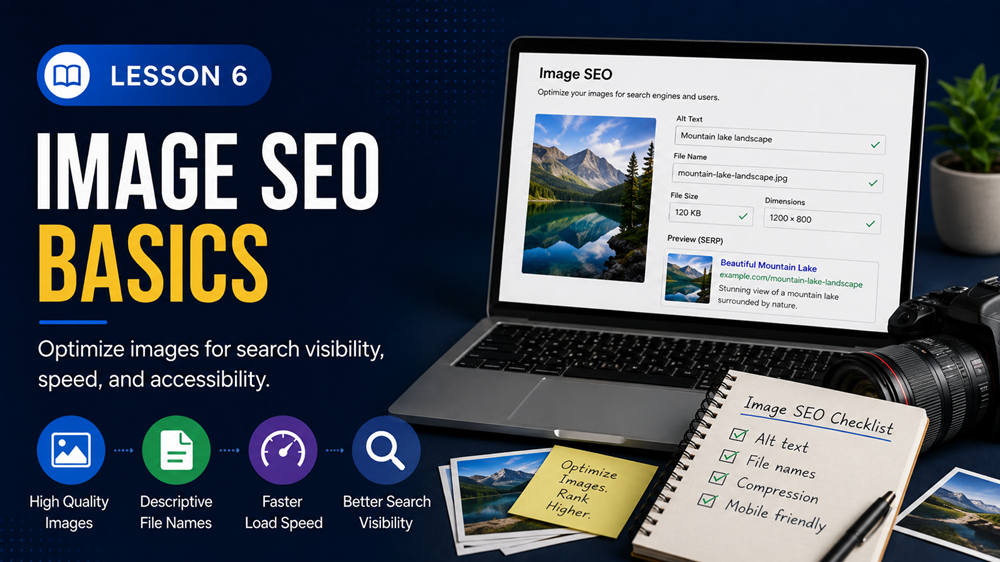
Image SEO is the process of optimizing images so they support your content, load efficiently, and help search engines understand what the image is about.
What You Will Learn
In this lesson, you will learn how images affect SEO, how to write image alt text, how to name image files, and how to avoid common image SEO mistakes.
Why Images Matter for SEO
Images can improve the user experience by helping visitors understand your content more quickly. A good image can support the topic of a page, break up long sections of text, and make the page more engaging.
Images can help SEO when they:
- Support the topic of the page
- Have descriptive file names
- Use helpful alt text
- Are compressed for faster loading
- Are displayed at the correct size
- Improve the user experience
What Is Alt Text?
Alt text, also called alternative text, is a short written description of an image. It helps describe the image for users who cannot see it and gives search engines more context about the image.
Alt text is important for accessibility and SEO. Screen readers can read alt text to users with visual impairments, and search engines can use it to better understand the image.
Example
If an image shows a technician repairing a laptop, weak alt text might be:
image1
Better alt text might be:
Technician repairing a laptop computer
How to Write Good Alt Text
Good alt text should be clear, specific, and related to the image. It should describe what the image shows without forcing keywords.
Good alt text tips include:
- Describe the image clearly
- Keep it short and useful
- Include a keyword only if it fits naturally
- Avoid keyword stuffing
- Do not use vague text like “image” or “photo”
- Make sure the description matches the image
Image File Names
Before uploading an image to your website, it is a good idea to rename the file so it clearly describes the image.
A descriptive file name gives search engines and users more context. It also keeps your media library more organized.
File Name Examples
Weak file name:
- IMG_2034.jpg
Better file name:
- laptop-repair-service.jpg
Use Relevant Images
Images should support the topic of the page. A random image may look nice, but if it does not relate to the content, it may not help users or SEO.
For example, a page about website maintenance should use images related to websites, updates, security, computers, dashboards, or support. A random beach photo would not help explain the topic.
Image Size and Page Speed
Large image files can slow down a web page. Page speed matters because users may leave if a page takes too long to load.
To improve image performance:
- Resize images before uploading when possible
- Use compressed images
- Avoid uploading extremely large images when a smaller version will work
- Use the correct image size for the page layout
- Use modern image formats when available
Simple Rule
Do not upload a huge image if it will only display as a small image on the page. Smaller, optimized images usually load faster and create a better user experience.
Featured Images
A featured image is the main image assigned to your website’s post, page, lesson, or course. It may appear at the top of the page, in archive listings, or in social sharing previews depending on your theme.
For course lessons, featured images should be relevant to the lesson topic. They should also be sized properly so they do not overpower the lesson content.
Captions and Context
Captions are short text descriptions that appear near an image. Not every image needs a caption, but captions can help when the image needs extra explanation.
The text around an image also gives search engines context. If the image supports the topic of the nearby content, it is more useful for SEO.
Common Image SEO Mistakes
When adding images to your website, avoid these common mistakes:
- Uploading images with file names like IMG_0001.jpg
- Leaving alt text blank for meaningful images
- Stuffing keywords into alt text
- Using images that do not match the page topic
- Uploading images that are much larger than needed
- Using blurry or low-quality images
- Letting images take over the page layout
Website Image SEO Tips
When uploading an image into your website, pay attention to these fields:
- File name: Rename the file before upload when possible.
- Alt text: Describe the image clearly.
- Title: Optional, but can help organize media.
- Caption: Use when the image needs visible explanation.
- Description: Optional, mostly used inside the media library.
Example for a Computer Repair Page
Image file name: computer-repair-technician.jpg
Alt text: Technician repairing a desktop computer
Caption: Professional computer repair service for desktops and laptops.
Key Takeaway
Image SEO helps your images support your content, improve accessibility, and create a better user experience. Use relevant images, descriptive file names, helpful alt text, and optimized image sizes.
Adding Image Metadata and Location Details
Image metadata is extra information stored with or connected to an image. This can include details such as the image title, description, creator, copyright information, keywords, and sometimes location data.
For SEO, metadata should support the real purpose of the image. It should not be used to stuff keywords or add misleading information.
Important Note
Google’s official image SEO guidance focuses heavily on useful image context, descriptive file names, helpful alt text, page content, image quality, and structured data. Google also supports IPTC photo metadata for certain image information, especially licensing and credit details.
What Metadata Can Include
Depending on the image tool you use, image metadata may include:
- Title: A short name for the image.
- Description: A clear explanation of what the image shows.
- Alt text: A text description used by websites and screen readers.
- Caption: Visible text that can appear near the image.
- Creator: The person or business that created the image.
- Copyright: Ownership or usage information.
- Keywords: Relevant terms that describe the image.
- Location: Where the image was taken, when appropriate.
IPTC Metadata
IPTC metadata is image information embedded inside the image file. It is often used by photographers, publishers, and businesses to store creator, credit, copyright, and licensing information.
Google explains that IPTC photo metadata is embedded into the image file itself, so the image and metadata can stay together as the image moves from page to page. Google also explains that structured data is connected to the specific page where the image appears, so structured data needs to be added each time the image appears on a page. Google Search Central: Image metadata
For most small business websites, the most important metadata fields are still the basics: a descriptive file name, useful alt text, a clear title, and relevant page content around the image.
Geo Location and Image SEO
Geo location means adding location information to an image, such as the city, region, or GPS coordinates where the image was taken.
For local businesses, location context can be helpful when it is accurate and relevant. For example, an image of a technician repairing a computer in Orlando can support local content when the image is used on a page about computer repair services in Orlando.
However, you should be careful with geo location claims. Adding GPS coordinates to an image is not a guaranteed ranking boost. Google’s official local ranking guidance focuses on relevance, distance, and prominence. That means your business information, service area, reviews, local content, and overall trust matter more than simply adding location metadata to a photo.
Best Practice
Use location information when it is truthful and useful. Do not add fake locations to images. Do not rely on geotagging alone for local SEO. Instead, combine accurate location context with strong local content, a complete Google Business Profile, helpful service pages, and honest customer reviews.
How to Add Location Context the Right Way
Instead of depending only on hidden GPS data, add location context in visible and useful places.
Good places to include location context include:
- Image file name when relevant
- Alt text when the location helps describe the image
- Caption when the location matters to the reader
- Nearby page content
- Page title or heading when the page is location-specific
- Google Business Profile photos and business information
- Local service pages
Local Image Optimization Example
Weak file name: IMG_4821.jpg
Better file name: orlando-laptop-repair-service.jpg
Weak alt text: laptop image
Better alt text: Laptop repair service for a small business customer in Orlando
Weak caption: Repair photo
Better caption: Local laptop repair support for small businesses in the Orlando area.
Metadata Mistakes to Avoid
When adding image metadata and location details, avoid these mistakes:
- Stuffing keywords into alt text, titles, or descriptions
- Adding fake city names or fake GPS locations
- Using the same alt text for every image
- Adding location terms when the image has nothing to do with that location
- Forgetting to describe what the image actually shows
- Uploading images with generic file names like IMG_001.jpg
- Relying on geotagging instead of improving the actual page content
Key Takeaway
Image metadata and location details can support image organization, accessibility, copyright clarity, and local relevance. For SEO, focus first on descriptive file names, helpful alt text, relevant page content, accurate captions, optimized image sizes, and truthful location context. Geo location should support real local relevance, not replace strong local SEO.
Lesson Quiz
Complete this short quiz to test your understanding of image SEO basics.