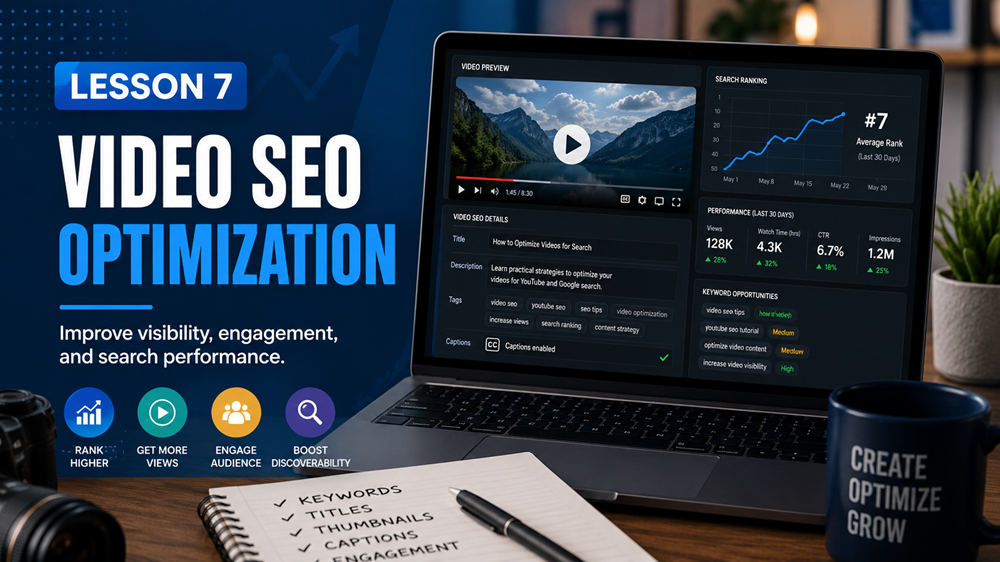
Learn how to optimize videos so they are easier for users and search engines to understand. This lesson covers video titles, descriptions, thumbnails, transcripts, captions, page placement, schema markup, video sitemaps, and common video SEO mistakes.
Lesson Overview
Video can make a web page more useful, engaging, and easier to understand. A helpful video can explain a service, demonstrate a product, answer a common question, teach a lesson, or show a real example.
Video SEO is the process of optimizing videos and the pages where they appear so users and search engines can better understand the video content.
What You Will Learn
In this lesson, you will learn how to optimize videos using clear titles, helpful descriptions, strong thumbnails, transcripts, captions, page context, video schema, and video sitemaps.
Why Video SEO Matters
Videos can help users understand information more quickly than text alone. They can also improve the learning experience, build trust, and keep visitors engaged on a page.
Video SEO can help:
- Make video content easier to understand
- Improve user engagement
- Support search visibility
- Help search engines understand the video topic
- Improve accessibility with captions and transcripts
- Make lessons, services, and tutorials more useful
Use a Clear Video Title
The video title should clearly explain what the video is about. A vague title like Video 1 or My Tutorial does not give users or search engines enough information.
A better title is specific, useful, and related to the page topic.
Example
Weak video title: SEO Video
Better video title: How to Write SEO Page Titles for Small Business Websites
Write a Helpful Video Description
The video description should summarize what the video covers. It should help users decide whether the video answers their question or supports the page topic.
A good video description should:
- Explain what the video is about
- Use natural language
- Include the main topic when appropriate
- Match the actual video content
- Avoid keyword stuffing
- Give users a reason to watch
Example Description
This video explains how to write a clear SEO page title, where the title may appear, and how it helps users and search engines understand the page topic.
Create a Strong Thumbnail
A thumbnail is the preview image people see before they play a video. A strong thumbnail can help users understand what the video is about and encourage them to watch.
A good thumbnail should be:
- Clear and easy to see
- Relevant to the video topic
- Professional-looking
- Not misleading
- Consistent with the page content
Google’s video documentation recommends providing unique information for each video, including unique thumbnail, name, and description data when using video structured data.
- :contentReference[oaicite:1]{index=1}
Add a Transcript
A transcript is the written version of what is said in the video. Transcripts are useful because they make the video content easier to access, read, scan, and understand.
Transcripts can help:
- Users who prefer reading
- Users who cannot listen to audio
- Search engines understand the video topic
- Visitors review important points quickly
- Make lessons more accessible
Best Practice
If the video teaches an important concept, include a transcript or a written summary on the page. This gives users and search engines more useful context.
Use Captions When Possible
Captions display the spoken words on the video while it plays. Captions are especially helpful for accessibility and for people watching without sound.
Captions can improve the user experience for:
- People with hearing impairments
- People watching in quiet places
- People learning a new topic
- People who want to follow along with the speaker
Place the Video Near Relevant Content
The content around a video helps users and search engines understand why the video is on the page. Do not place a video randomly on an unrelated page.
If a video is about image SEO, it should appear on a page or lesson about image SEO. If a video is about local SEO, it should appear near local SEO content.
Example
A video titled How to Optimize Image Alt Text should appear near content explaining image alt text, file names, captions, and image SEO best practices.
Make the Video Easy to Find on the Page
If the video is important, place it in a visible area of the page. Avoid hiding important videos behind tabs, popups, or sections that are difficult for users to find.
For lesson pages, a good placement is usually after the lesson overview or near the section the video explains.
Use Video Structured Data
Video structured data helps search engines understand details about a video. Google explains that adding VideoObject structured data can make it easier for Google to find videos and understand details such as the video description, thumbnail URL, upload date, and duration. :contentReference[oaicite:2]{index=2}
Video structured data may include:
- Video name
- Description
- Thumbnail URL
- Upload date
- Duration
- Embed URL
- Content URL when applicable
Simple Video Schema Example
Below is a simplified example of video structured data. This is only a sample and should be customized for the actual video and page.
<script type="application/ld+json">
{
  "@context": "https://schema.org",
  "@type": "VideoObject",
  "name": "How to Write SEO Page Titles",
  "description": "A short lesson explaining how to write clear SEO page titles for small business websites.",
  "thumbnailUrl": "https://example.com/images/seo-page-title-thumbnail.jpg",
  "uploadDate": "2026-05-11",
  "duration": "PT4M30S",
  "embedUrl": "https://example.com/videos/seo-page-title"
}
</script>
Use a Video Sitemap for Important Videos
A video sitemap can help search engines discover videos on your website. This is especially useful if your site has many important videos.
Google’s video sitemap guidance says videos listed in a video sitemap should be related to the host page content, and the referenced URLs must be accessible to Googlebot. :contentReference[oaicite:3]{index=3}
A video sitemap may include details such as:
- Video title
- Description
- Thumbnail URL
- Video page URL
- Video file or player URL
- Duration
- Publication date
Host Videos in a Reliable Way
You can host videos on your own website or embed them from platforms such as YouTube, Vimeo, or another video hosting service.
When choosing how to host videos, consider:
- Page speed
- Video quality
- Mobile viewing experience
- Accessibility features
- Embed reliability
- Whether the video is easy for users to play
Optimize the Page Around the Video
The page itself still matters. A video on a weak page will not fix poor content. The page should include a clear title, helpful headings, written content, internal links, and a useful call to action.
For a video lesson page, include:
- A clear lesson title
- A short introduction
- The video
- A written summary or transcript
- Helpful headings
- Related links
- A quiz or next step
Common Video SEO Mistakes
When adding videos to a website, avoid these common mistakes:
- Using vague video titles
- Leaving descriptions blank
- Using misleading thumbnails
- Embedding videos on unrelated pages
- Not adding captions or transcripts
- Making important videos hard to find
- Blocking videos from being crawled
- Using the same title and description for every video
- Adding video schema that does not match the actual video
- Uploading videos that slow down the page too much
Simple Video SEO Checklist
Before publishing a video page or lesson, review this checklist:
- The video supports the page topic
- The video has a clear title
- The video has a helpful description
- The thumbnail is relevant and not misleading
- The video is easy to find on the page
- The page includes written context
- A transcript or summary is included when useful
- Captions are added when possible
- The page loads well on mobile devices
- Video structured data is accurate if used
- The video is accessible to users and search engines
Key Takeaway
Video SEO helps users and search engines understand your video content. Use clear titles, helpful descriptions, relevant thumbnails, captions, transcripts, written page context, and accurate video structured data. A good video should support the page topic and improve the visitor’s experience.
Lesson Quiz
Complete this short quiz to test your understanding of video SEO optimization.