Technology Security Brief · October 22, 2026
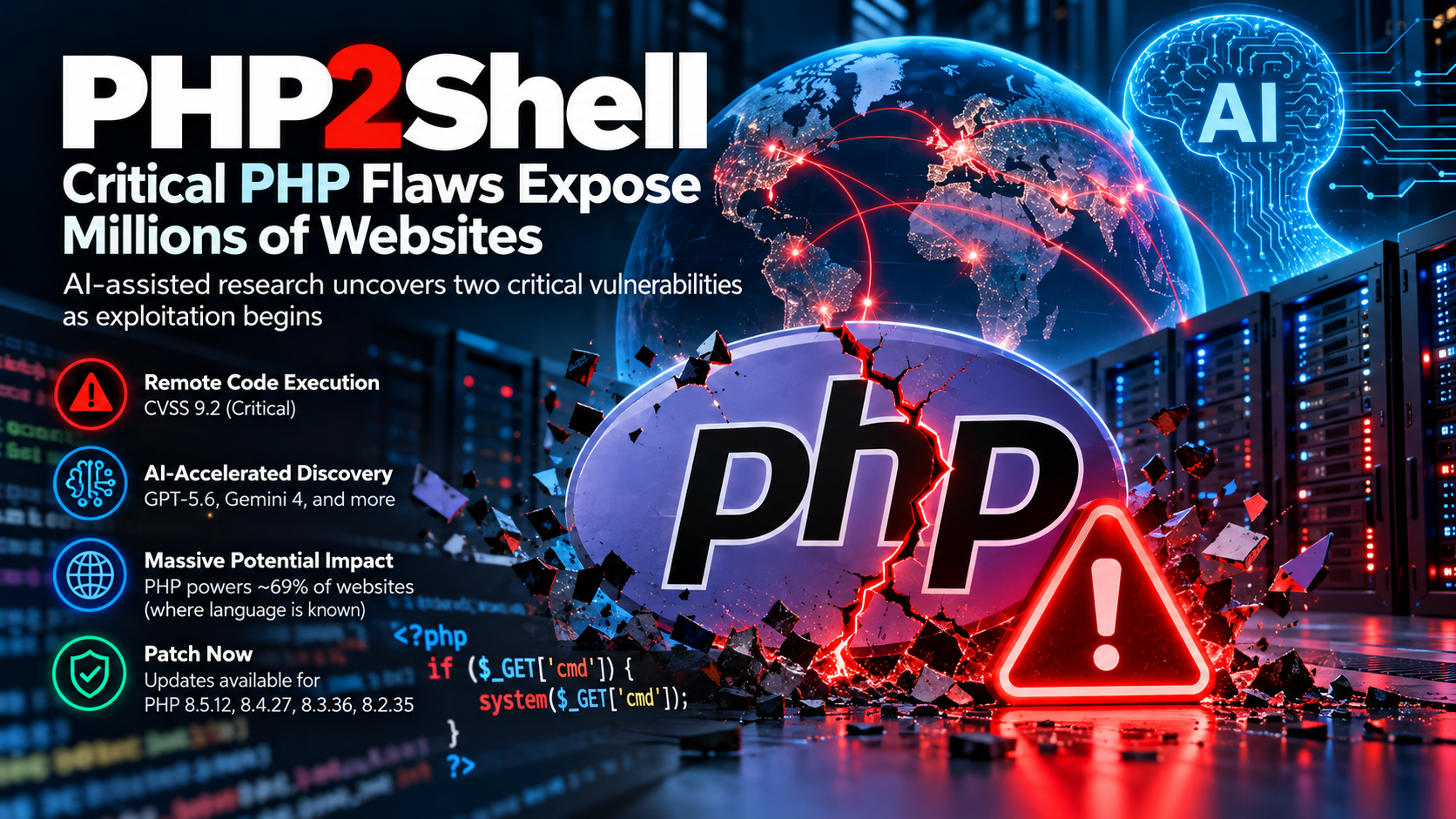
PHP2Shell: Critical PHP Flaws Put Web Servers at Risk as AI Accelerates the Security Race
Two critical vulnerabilities in the PHP runtime can permit unauthenticated remote code execution under affected configurations. Emergency fixes are available, real-world exploitation attempts have been observed, and administrators should treat internet-facing PHP systems as an immediate patching priority.
Executive Summary
PHP released emergency security updates on October 21, 2026 for two related memory-safety vulnerabilities that can allow remote code execution without authentication. The flaws are in PHP itself—not in WordPress, Drupal, Joomla, a theme, or a plugin—so application updates alone do not correct the underlying exposure.
Patch now
PHP states that updating is the only complete remediation. Internet-facing systems should receive priority.
Look backward
AWS observed a PHP2Shell exploitation attempt on October 17, four days before public disclosure. Investigation windows should begin at least there.
Verify the runtime
The PHP used by a website may differ from the command-line PHP. Confirm the actual FPM, CGI, Apache module, container, appliance, or hosting runtime.
Scale of exposure
W3Techs reported on October 21 that PHP was used by 69.3% of websites for which the server-side programming language was known. That does not mean 69.3% of all websites are vulnerable, but it explains why a flaw in the PHP runtime has an unusually large potential blast radius.
What PHP2Shell Is
“PHP2Shell” is the informal name used for two critical vulnerabilities in the PHP engine. Both can corrupt memory or leave unsafe request state behind in ways that may ultimately allow an unauthenticated attacker to execute code on a vulnerable server.
| Vulnerability | Core problem | Security impact |
|---|---|---|
| CVE-2026-109618 | Out-of-memory handling can leave partially initialized request data that later gets treated as valid. | Memory corruption and potential unauthenticated remote code execution. |
| CVE-2026-109619 | Request-owned internal global state can outlive the memory backing it and be reused by a later operation or request. | Use-after-free, memory corruption, possible information exposure, and remote code execution. |
PHP says installations serving web requests are in scope, including PHP-FPM, Apache with mod_php, php-cgi, FrankenPHP and LiteSpeed. Risk is considered particularly high for Apache mod_php because researchers demonstrated an attack path that can trigger before application PHP code runs.
Important distinction
This is not primarily a WordPress or CMS vulnerability. A fully updated WordPress site can still be exposed if the underlying PHP runtime is vulnerable. The PHP runtime must be patched or replaced with a vendor package containing the fix.
Fixed PHP Releases
For installations using upstream PHP release numbering, the security fixes are included in the following releases:
| PHP branch | Fixed release | Lifecycle note |
|---|---|---|
| 8.5 | 8.5.12 or later | Supported |
| 8.4 | 8.4.27 or later | Supported |
| 8.3 | 8.3.36 or later | Supported |
| 8.2 | 8.2.35 or later | Security support ends December 31, 2026 |
| 8.1 and older | Use a vendor-supported backport or migrate | Upstream end-of-life branches require special attention |
php -v.
Why the AI Angle Matters
The PHP Foundation says the first signs of the out-of-memory problem behind CVE-2026-109618 were noticed during security work following a 2024 external audit. At that time, a potential exploit was theorized, but no concrete remote-code-execution path had been established and work on a safe fix stalled amid difficult compatibility tradeoffs.
In 2026, AI-assisted security research changed the picture. Calif reported an unconditional RCE path on August 11 through OpenAI’s Patch the Planet program. OpenAI independently reported the same root cause that day, Wiz later reported additional findings, and the accumulated research made the full severity clear.
The strategic lesson
AI did not create the vulnerability. It helped reduce the time and specialist effort required to validate difficult attack paths. The same acceleration can benefit defenders and attackers, shrinking the period between discovery, patch publication and practical exploitation.
How the Disclosure and Exploitation Timeline Unfolded
Security work following a PHP audit surfaces early signs of the out-of-memory problem behind one of the eventual CVEs.
Calif begins auditing PHP through the Patch the Planet program.
Calif reports an unconditional RCE path; OpenAI independently reports the same root cause.
Additional attack vectors and related findings are reported by Wiz and OpenAI while fixes and coordinated protections are developed.
AWS later identifies a PHP2Shell exploitation attempt in MadPot telemetry—before public disclosure.
The CVE identifiers begin circulating publicly, disrupting the original disclosure schedule.
PHP releases 8.5.12, 8.4.27, 8.3.36 and 8.2.35. AWS says exploitation becomes broad in the wild after disclosure and public proof-of-concept material appears.
What Administrators Should Do Now
- Inventory every PHP runtime. Include websites, APIs, cron jobs, appliances, control panels, containers, CI systems, developer stacks and third-party products that may bundle PHP.
- Identify the web-facing SAPI. Determine whether the site uses PHP-FPM, Apache mod_php, CGI/FastCGI, LiteSpeed, FrankenPHP, a container image, or a provider-managed runtime.
- Apply the fixed upstream release or your OS/vendor’s patched backport. Do not rely on a CMS update, WAF rule or configuration change as the permanent fix.
- Restart the affected web runtime. Updating package files on disk is not enough if Apache, PHP-FPM, IIS, a container or another long-running process still has the vulnerable runtime loaded.
- Verify the effective runtime. Confirm both CLI PHP and the PHP instance actually serving the website. They may be different.
- Review activity beginning at least October 17. AWS observed pre-disclosure exploit attempts, so do not start the investigation clock only on October 21.
Platform-by-Platform Remediation
Commands below are intentionally conservative. Production administrators should follow their distribution, hosting provider or software vendor’s advisory when it differs from generic package-manager guidance.
LINUX Ubuntu
Canonical has published PHP2Shell fixes and recommends upgrading packages. Ubuntu 22.04 LTS, 24.04 LTS, 26.04 LTS and 26.10 receive the fixes through standard support; older supported installations may depend on Ubuntu Pro/ESM.
Then restart the runtime that serves PHP. Common examples:
LINUX Debian
Debian issued security updates for affected branches. Debian 13’s php8.4 security update includes the fix in 8.4.27-1~deb13u1, while Debian 12 LTS received a php8.2 security update in 8.2.35-1~deb12u1.
Restart Apache, PHP-FPM or the applicable web service after installing the package.
LINUX RHEL, Fedora, Rocky Linux and AlmaLinux
These systems commonly receive PHP security fixes as distribution packages or module-stream updates. Red Hat has classified the vulnerabilities as affecting multiple RHEL PHP components and states that installing the fixed release is the complete remediation.
If PHP-FPM and Apache are in use, restart the services after the vendor-provided fix is installed:
LINUX SUSE / openSUSE
Refresh repositories and apply vendor security patches, then restart the PHP-serving components.
Confirm the installed PHP package against the SUSE security advisory for the exact product and service pack you run.
LINUX Alpine Linux
Update repository metadata, upgrade packages in the current supported release branch, and restart affected services or rebuild containers.
If Alpine is used as a container base, rebuilding the image from a patched repository state is preferable to modifying a running production container.
macOS Homebrew PHP
Homebrew users should update formula metadata, upgrade the specific PHP formula they use, restart the Homebrew PHP service if applicable, and verify the resulting version.
brew upgrade made the system safe.
Compare the resulting package with the fixed branch or Homebrew’s current formula information. An internet-facing production service should not remain publicly exposed while still running an unpatched build.
macOS MAMP, XAMPP, Laravel Herd and other bundled stacks
These products may ship their own PHP runtime. Homebrew can be completely unrelated to the PHP binary the product actually uses. Update through the product/vendor’s supported mechanism or switch the application to a verified patched runtime.
Check the application’s own settings as well. The command above only identifies the shell’s PHP and may not prove what the local web server is using.
WIN Windows Server + IIS / FastCGI
PHP’s official Windows guidance recommends Non-Thread-Safe (NTS) builds for IIS/FastCGI. Use the patched build for your supported PHP branch from the official PHP Windows distribution.
- Identify the PHP executable configured in IIS FastCGI—not only the first PHP found in the Windows PATH.
- Back up the existing PHP directory and configuration.
- Install the patched x64 NTS build for the supported branch in a new versioned directory.
- Reapply required extensions and configuration carefully rather than blindly overwriting the new distribution.
- Update the IIS FastCGI mapping to the new
php-cgi.exe. - Recycle the affected application pool or perform a controlled IIS restart.
- Verify the PHP version from the website/runtime after restart.
WIN XAMPP, WampServer and other bundled Windows stacks
Bundled stacks can include a separate PHP tree, Apache configuration and extension set. A system-wide PHP update may leave the web server’s bundled PHP untouched. Prefer the bundle vendor’s supported upgrade path or carefully migrate the stack to a patched PHP runtime, then restart the bundled Apache/service and verify what the site is actually executing.
CTR Docker / OCI containers
Do not treat a package update inside a temporary running container as a durable fix. Rebuild the application image from a patched base/runtime, redeploy it, and verify the new container.
For Kubernetes or another orchestrator, update the image reference/digest, roll out the new workload, and confirm old vulnerable pods/containers have terminated.
HOST cPanel, Plesk and managed hosting
Managed-hosting customers often cannot patch the OS package directly. Check the hosting control panel’s PHP selector, MultiPHP Manager, PHP-FPM settings or provider security notice and ask the host to confirm remediation for both CVEs.
- Do not assume “automatic updates” refers to the PHP runtime.
- Do not assume the PHP version shown by SSH/CLI is the same version serving the website.
- If the host uses a backported package, ask for the vendor advisory or package revision confirming the CVE fix.
- If the provider cannot confirm remediation for an internet-facing site, request migration to a patched runtime or temporary isolation.
CMS WordPress, Drupal, Joomla and PHP applications
Update the CMS, plugins/modules and themes as part of normal defense-in-depth, but understand that those updates do not replace the PHP runtime fix. WordPress users should check the hosting account’s effective PHP version and provider advisory in addition to WordPress Site Health.
If You Cannot Patch Immediately
PHP’s own advisory says there is no complete configuration-only mitigation. Temporary controls can reduce exposure, but they are not substitutes for the fixed runtime.
- Remove or isolate the vulnerable application from the public internet when practical.
- Restrict access through a VPN, private network, allowlist or reverse proxy where the business use case permits.
- Enable current WAF protections from your security provider; Cloudflare deployed managed PHP2Shell protections, but still recommends patching.
- AWS suggests considering temporary blocking of multipart file uploads on systems that cannot yet be patched, but only after evaluating application impact.
- Increase logging and monitoring until permanent remediation is complete.
Do not call a temporary mitigation “fixed”
A WAF rule, upload restriction or configuration change can fail to cover all attack paths. The durable outcome is a patched PHP runtime or a vendor package that backports the fix.
What to Review for Possible Exploitation
AWS recommends beginning review at least on October 17 because its MadPot network detected an exploitation attempt before public disclosure. The following checks are defensive triage, not proof by themselves that a compromise occurred.
- Review web access and error logs for unusual POST activity, especially unexpected multipart uploads or references to
PHP_SESSION_UPLOAD_PROGRESS. - Look for unexpected processes launched by the web-server or PHP account.
- Check for newly created or modified files in web roots, upload directories, temporary folders and application configuration paths.
- Review unexpected outbound network connections from the web server.
- Inspect cron jobs, systemd timers, Windows Scheduled Tasks and startup mechanisms for unauthorized persistence.
- Check for new administrative users, SSH keys, API tokens or credentials.
- Review WAF, EDR, IDS/IPS and reverse-proxy events for blocked or successful suspicious requests.
If indicators suggest compromise, isolate the host, preserve evidence, involve the appropriate incident-response team, rotate exposed credentials and secrets, and rebuild from a known-good state when warranted rather than trusting only an in-place cleanup.
Why This Changes Patch Management
AWS says the time from patch publication to working exploitation is shrinking and recommends measuring response time for critical internet-facing vulnerabilities in hours rather than traditional seven- or 30-day windows. OpenAI similarly argues that frontier AI can give defenders a discovery advantage while also making offensive analysis and exploit development cheaper once technical information becomes available.
For businesses, the lesson is not that every security patch must be installed blindly. The lesson is that the patching workflow itself must be able to distinguish ordinary maintenance from emergency internet-facing RCE events and move the latter through inventory, testing, deployment and verification much faster.
Frequently Asked Questions
Does updating WordPress fix PHP2Shell?
No. WordPress updates remain important, but PHP2Shell is in the PHP runtime. The server’s PHP must also be patched or receive the vendor’s backported fix.
Do Windows and macOS systems need attention too?
Yes, when they run PHP that serves web requests. The vulnerability is not limited to Linux. Development machines that are not publicly reachable have a lower exposure profile, but should still be updated.
Is the command-line PHP version enough to verify a website?
No. A server can have multiple PHP installations. CLI PHP, PHP-FPM, IIS FastCGI, Apache mod_php and a container may all use different binaries or versions.
If my Linux PHP version number looks older than 8.4.27, am I definitely vulnerable?
Not necessarily. Linux distributions often backport security fixes while retaining their own versioning scheme. Check the exact package revision and vendor CVE advisory.
Is a WAF enough?
No. WAF protections are valuable defense in depth, but PHP states that updating is the only complete remediation for these vulnerabilities.
How far back should we investigate logs?
At least to October 17, 2026, based on AWS’s earliest observed PHP2Shell exploitation attempt. Organizations with high-value or internet-facing systems may choose a longer review window.
Editorial Sources
- PHP Project — October 21, 2026 security advisory and emergency releases
- PHP Project — official downloads and fixed release packages
- PHP Project — supported PHP branches and lifecycle dates
- The PHP Foundation — disclosure history, AI-assisted research and security response
- AWS Security Blog — pre-disclosure exploitation telemetry and recommended actions
- Cloudflare — managed WAF protections and PHP2Shell response
- ENISA / European Commission / CERT-EU / Europol EC3 — joint emergency guidance
- Ubuntu — PHP2Shell package-update guidance
- Debian Security Advisory DSA-6574-1 — php8.4 security update
- Debian LTS Advisory DLA-4848-1 — php8.2 security update
- Red Hat — CVE-2026-109618 product impact and remediation statement
- Red Hat — CVE-2026-109619 product impact and remediation statement
- PHP Manual — Windows installation guidance
- Homebrew Formulae — PHP package information
- W3Techs — PHP server-side language usage statistics
- OpenAI — Patch the Planet and coordinated vulnerability response
- Associated Press — global response and service disruption reporting
This brief is intended for defensive security awareness and operational planning. Package names, service names and supported versions vary by distribution, hosting provider and application stack. Production systems should be backed up and updated under an appropriate change-control process, while emergency exposure should be reduced immediately when a supported patch is not yet available. Information and vendor guidance can change quickly during an active vulnerability response; verify current advisories before making production changes.