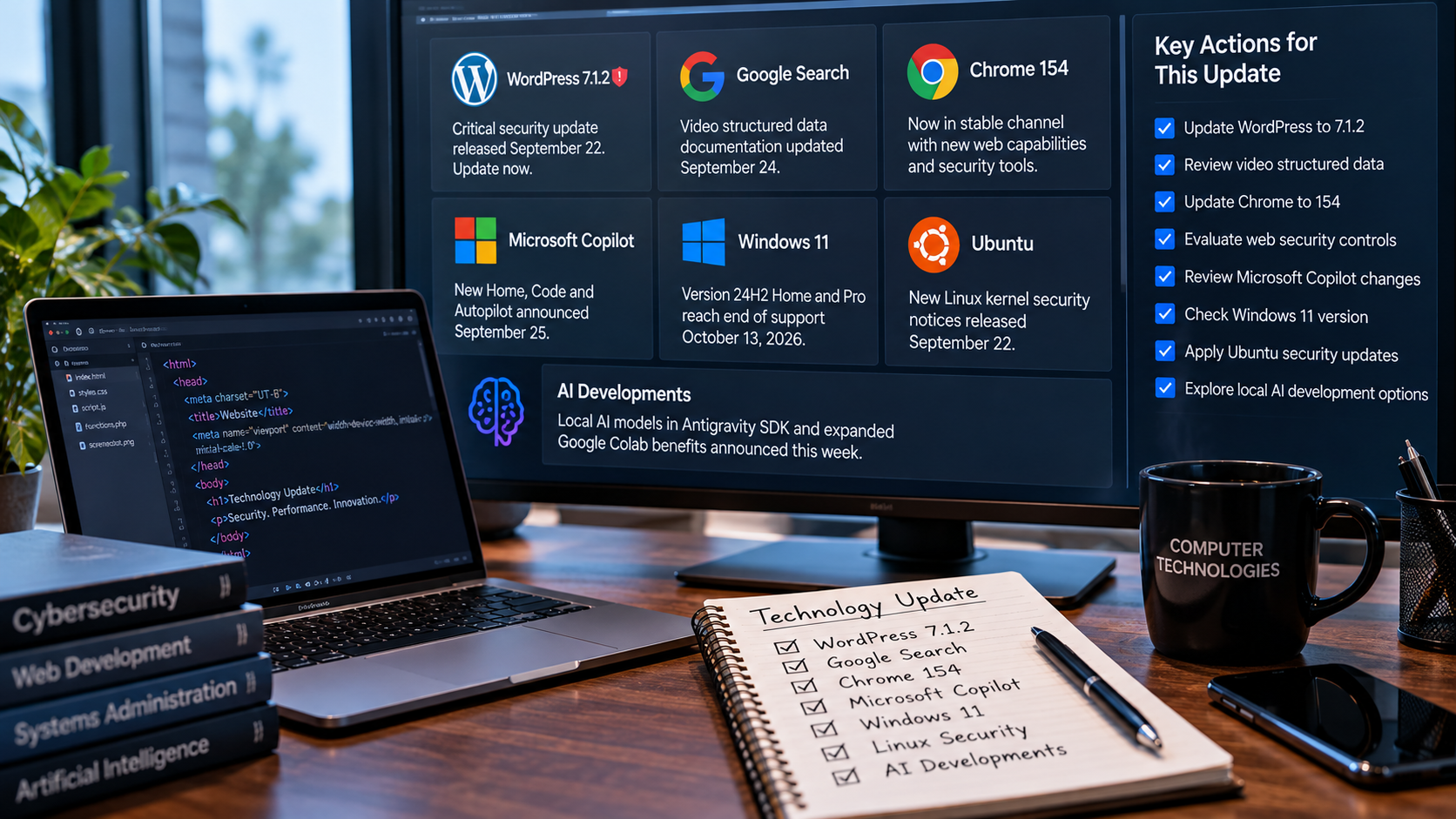
Technology Update: What’s Changed Since Our September 15–21, 2026 Brief
New developments in WordPress security, Google Search, Chrome, Microsoft Copilot, Windows, Linux and AI have emerged since our previous technology report. Here’s what businesses and technology users need to know now.
Updated September 26, 2026
Following our September 15–21, 2026 Technology Brief, several important developments have emerged across website security, Google Search, browsers, Microsoft, Windows, Linux and artificial intelligence.
Rather than repeating the issues covered in our previous report, this follow-up focuses specifically on developments announced or released since September 21—and the actions businesses, website owners and developers may need to take now.
Our September 15–21 report covered the major technology and security developments occurring during that period. This update continues from that point and focuses on new developments from September 22–26, 2026.
WordPress 7.1.2 Fixes a Critical Security Vulnerability
One of the most important developments since our previous report is the release of WordPress 7.1.2 on September 22.
WordPress describes 7.1.2 as a security release containing a fix for a critical-severity security vulnerability. WordPress recommends that website owners update their sites immediately.
This release follows WordPress 7.1.1, which arrived September 17 with multiple security and maintenance fixes. Because 7.1.2 is now available, website owners should verify that their installations have advanced to the newer release rather than stopping at 7.1.1.
Log in to the WordPress Dashboard and verify the installed version. Sites that have not reached WordPress 7.1.2 should be backed up and updated as soon as practical. Website owners using automatic updates should still confirm that the update completed successfully.
After updating:
- Confirm the website loads normally.
- Test forms and other interactive features.
- Check important pages on desktop and mobile.
- Review plugins and themes for additional updates.
- Clear website and server caches if necessary.
- Verify that backups remain current.
Google Updates Video Structured Data Guidance
Google updated its Search documentation on September 24 with changes to
VideoObject structured data.
The documentation now includes the creator property while also
noting support for author. Google also updated its
interactionStatistic guidance to clarify supported interaction
types.
For websites publishing videos, tutorials, demonstrations and educational content, the change is another reason to review how video information is communicated to Google.
Websites using VideoObject schema should review their implementation against Google’s current documentation. Accurate creator, author and interaction information can provide search systems with clearer information about the content being published.
Structured data should support—not replace—the fundamentals of good SEO: original content, useful page titles, clear headings, descriptive text, accessible media, fast performance and a strong mobile experience.
Chrome 154 Reaches the Stable Channel
Google released Chrome 154 to the stable channel on September 22 for Windows, macOS, Linux, ChromeOS and Android.
The release includes several changes relevant to web developers. Among them
is support for responsively sized <iframe> elements,
allowing an iframe to size itself based on the intrinsic dimensions of its
embedded document.
This can reduce the need for some custom JavaScript techniques traditionally used to measure embedded content and repeatedly communicate dimensions between documents.
Chrome 154 also expands CSS capabilities, including improvements involving scroll-marker accessibility behavior and text-decoration controls.
Test important websites and web applications against current Chrome releases, especially applications using embedded content, custom scrolling interfaces, new CSS features or accessibility-sensitive navigation.
Chrome Adds Another Security Tool for Modern Web Applications
On September 23, Google’s Chrome team published new guidance on connection allowlists, a browser security capability designed to give web applications tighter control over the network destinations they can contact.
Modern websites often incorporate analytics services, APIs, third-party JavaScript and dynamically generated code. AI-generated or compromised code can create an additional risk if it attempts to send sensitive information to an unauthorized external server.
Connection allowlists allow developers to establish approved network destinations and have the browser block connections that fall outside those rules.
As AI-generated code becomes more common in web development, developers need security controls that assume generated or third-party code may occasionally behave unexpectedly. Browser-enforced network restrictions can provide an additional layer of protection alongside established controls such as Content Security Policy.
Microsoft Introduces a New Copilot Built Around Home, Code and Autopilot
Microsoft announced a major redesign of Copilot on September 25 centered around three new capabilities: Home, Code and Autopilot.
Home brings Chat and Cowork together while integrating Word, Excel and PowerPoint capabilities into the Copilot experience.
Code is designed to help users build their own solutions and uses underlying technology related to GitHub Copilot.
Autopilot represents another significant step toward persistent AI agents. Microsoft describes it as a proactive, personal agent capable of continuing to work even when the user is not actively interacting with it.
Microsoft says Home and Code will begin rolling out through its Frontier program in the coming weeks, while Autopilot is expanding into private preview.
The direction of Copilot shows the continuing transition from AI assistants that answer questions toward AI agents that can perform longer, delegated workflows. Businesses considering these systems will need policies covering data access, permissions, human review, security and accountability.
Windows 11 24H2 Home and Pro Are Approaching End of Support
Microsoft’s September 22 Windows 11 preview update contains an important reminder for users still running Windows 11 version 24H2 Home or Pro.
Those editions reach end of support on October 13, 2026. After that date, affected systems will no longer receive the normal security, quality and technical-support updates associated with a supported Windows release.
Microsoft also states that the September non-security preview is the final preview update for Windows 11 24H2.
Businesses and individuals still running Windows 11 24H2 Home or Pro should check their Windows version and prepare to move to a supported Windows 11 release before October 13.
To check your Windows version:
- Open Settings.
- Select System.
- Select About.
- Look under Windows specifications.
- Check the Version field.
The September preview update also includes File Explorer changes, updated AI components for applicable Copilot+ PCs and servicing improvements.
Ubuntu Publishes New Linux Kernel Security Fixes
Ubuntu published another group of Linux kernel security notices on September 22 covering supported Ubuntu releases and several kernel environments.
The notices address multiple vulnerabilities across systems including Ubuntu 24.04 LTS, Ubuntu 22.04 LTS and Ubuntu 26.04 LTS, depending on the kernel and deployment environment involved.
Linux servers frequently operate quietly behind websites, databases, applications and cloud infrastructure. Because these systems can run for long periods without direct user interaction, administrators should avoid assuming that a functioning server is necessarily a fully patched server.
Administrators should review Ubuntu security notices applicable to their specific release and kernel, install relevant security updates and plan reboots when kernel updates require them.
Google Brings More AI Development Work Locally
Google’s developer announcements this week also show an important direction for artificial intelligence: more AI workloads are moving toward local and hybrid computing.
On September 23, Google announced support for local AI models in its Antigravity SDK. The approach allows developers to build workflows where some AI processing can occur locally rather than requiring every operation to be sent to a remote cloud model.
This type of hybrid architecture can be particularly interesting for development tasks involving privacy-sensitive information, local code analysis and workloads where sending large amounts of data to a remote service is unnecessary.
Google also announced on September 22 that premium Google Colab benefits are being incorporated into Google AI subscription plans, including access to faster accelerators and additional compute capabilities depending on the subscription.
AI development is increasingly splitting between cloud intelligence and local processing. For developers, this may create more options for balancing performance, privacy, cost and offline capabilities when designing future applications.
What to Check After This Update
- WordPress: Verify that websites are running WordPress 7.1.2 or a later secure release.
- Google Search: Review VideoObject structured data if your website publishes video content.
- Chrome: Update browsers and test important websites against Chrome 154.
- Web Security: Review third-party scripts and consider whether network restrictions such as connection allowlists are appropriate for higher-risk applications.
- Microsoft Copilot: Watch the rollout of Home, Code and Autopilot and evaluate business use cases before granting AI systems broad data access.
- Windows: Check for Windows 11 24H2 Home or Pro systems before the October 13 end-of-support date.
- Linux: Review applicable Ubuntu kernel security notices and install relevant fixes.
- AI Development: Evaluate whether local or hybrid AI could provide privacy, performance or cost advantages for future applications.
What This Follow-Up Tells Us
Only a few days have passed since our September 15–21 technology brief, but the developments since then illustrate how quickly technology maintenance is changing.
A critical WordPress security release can appear between routine website maintenance cycles. A Windows version can approach end of support while business systems continue running normally. Browsers can introduce both new development capabilities and new security controls. At the same time, Microsoft and Google continue moving artificial intelligence from simple chat interfaces toward agents, development tools and local computing.
For businesses, staying current does not require adopting every new feature. It requires knowing which changes affect security, support, websites and business operations—and acting on the developments that matter.
Computer Technologies, LLC will continue monitoring developments across Google, Microsoft, Windows, Apple, Linux, WordPress, web development, cybersecurity, analytics and artificial intelligence and will publish follow-up updates when significant developments occur.
Official Sources & Further Reading
- WordPress — WordPress 7.1.2 Release
- Google Search Central — Search Documentation Updates
- Chrome for Developers — New in Chrome 154
- Chrome for Developers — Chrome 154 Release Notes
- Chrome for Developers — Connection Allowlists
- Microsoft — Introducing the New Copilot with Home, Code and Autopilot
- Microsoft Support — September 22 Windows 11 Update
- Ubuntu — Security Notices
- Google Developers Blog — AI and Developer Updates
Need Help Keeping Your Technology Current?
Computer Technologies, LLC provides website development, analytics, technology solutions and digital optimization services. We help businesses understand technology changes, maintain their websites and identify practical ways to improve their digital systems.
Contact Computer TechnologiesFollow-Up Technology Brief • September 22–26, 2026 • Computer Technologies, LLC