Lesson Overview
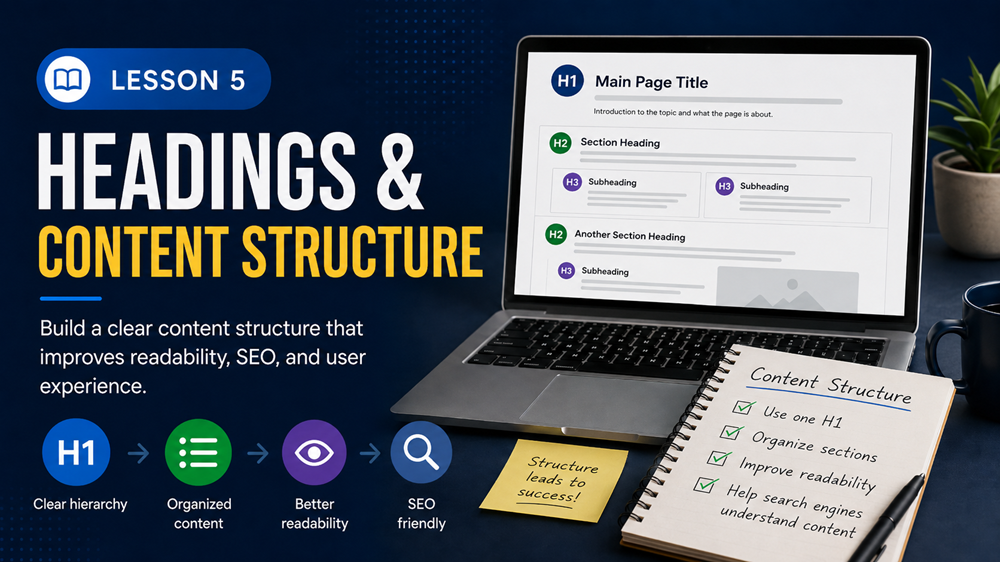
Headings and content structure help organize a web page so visitors and search engines can understand it more easily.
When a page is well structured, users can scan the content quickly, find the information they need, and understand how each section connects to the main topic. Search engines also use headings and page structure to better understand what a page is about.
What You Will Learn
In this lesson, you will learn how headings work, why content structure matters, how to use heading tags correctly, and how to organize a page for better readability and SEO.
What Are Headings?
Headings are titles and section labels used to organize content on a page. They help break a page into sections so readers can understand the topic more easily.
In HTML, headings usually use tags from H1 through H6.
- H1: The main title of the page
- H2: Major sections of the page
- H3: Subsections inside an H2 section
- H4-H6: Smaller nested sections when needed
Example
If your page is about computer repair services, your H1 might be Computer Repair Services in Orlando. Your H2 headings might be Laptop Repair, Virus Removal, and Small Business IT Support.
Why Headings Matter for SEO
Headings help search engines understand the main topics and subtopics on a page. They also help visitors scan the page quickly.
Good headings can help:
- Make content easier to read
- Organize page sections clearly
- Help search engines understand page topics
- Improve user experience
- Support better on-page SEO
The H1 Heading
The H1 is usually the main heading or main title of the page. It should clearly describe what the page is about.
Most pages should have one clear H1. The H1 should match the main topic of the page and should not be vague.
Weak H1 Example
Welcome
Better H1 Example
Website Maintenance Services for Small Businesses
Using H2 Headings
H2 headings are used for the main sections of a page. They help divide the content into clear parts.
For example, a service page could use H2 headings like:
- Our Computer Repair Services
- Why Choose Our Team
- Common Computer Problems We Fix
- Service Areas
- Request Help Today
Using H3 Headings
H3 headings are used for smaller sections inside an H2 section. They are helpful when a section has several related subtopics.
Example Structure
H2: Our Computer Repair Services
H3: Laptop Repair
H3: Virus Removal
H3: Data Backup
Content Structure Matters
Content structure is the way information is arranged on a page. A page should have a clear beginning, middle, and end.
A strong page structure usually includes:
- A clear main heading
- An introduction that explains the topic
- Organized sections with helpful headings
- Short paragraphs
- Lists when information needs to be easy to scan
- Examples when they help explain the topic
- A clear conclusion or call to action
Write for Scanning
Most people do not read every word on a web page at first. They scan the page to decide if it has the information they need.
You can make content easier to scan by using:
- Clear headings
- Short paragraphs
- Bullet lists
- Bold text for important terms
- Helpful examples
- Enough spacing between sections
Common Heading Mistakes
When using headings, avoid these common mistakes:
- Using headings only to make text look bigger
- Skipping heading levels in a confusing way
- Using several unrelated H1 headings on one page
- Writing vague headings like “Info” or “More”
- Stuffing keywords into every heading
- Making headings unrelated to the content below them
Simple Page Structure Example
Here is a simple structure for a service page:
- H1: Computer Repair Services in Orlando
- Introduction: Briefly explain the service and who it helps.
- H2: Services We Offer
- H3: Laptop Repair
- H3: Virus Removal
- H3: Data Backup
- H2: Why Choose Us
- H2: Request Computer Repair Help
Better Approach
Use headings to organize the page, not just to change the font size. A good heading tells the reader what the next section is about.
How This Helps SEO
Good content structure supports SEO because it helps search engines understand the topic of the page and helps users find information quickly.
When users can easily read and understand your content, they are more likely to stay on the page, explore your website, and take action.
Key Takeaway
Headings and content structure make your page easier to read, easier to scan, and easier for search engines to understand. Use one clear H1, organize main sections with H2 headings, use H3 headings for subsections, and write content in a logical order.
Lesson Quiz
Complete this short quiz to test your understanding of headings and content structure.