
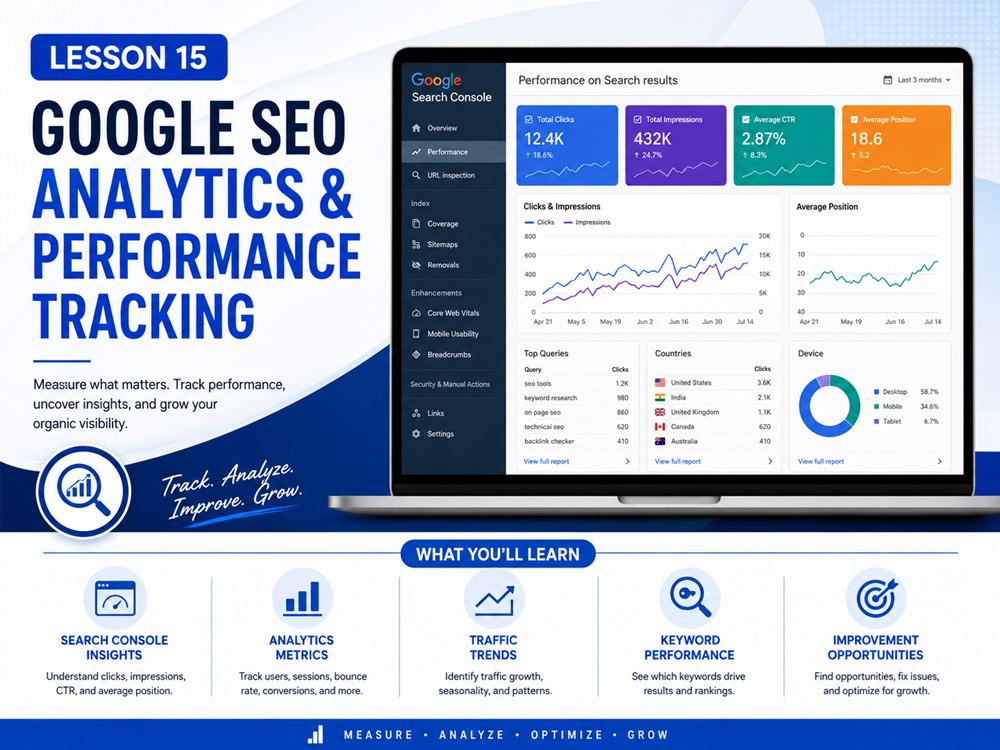
Lesson Overview
SEO is not something you set up once and forget. To improve your website over time, you need to review data, understand what is working, and find areas that need improvement.
Google provides tools such as Google Search Console and Google Analytics that can help you understand how people find your website, which pages receive traffic, what search terms lead to clicks, and how visitors interact with your content.
What You Will Learn
In this lesson, you will learn how Google SEO analytics can help you measure search performance, identify improvement opportunities, and make better decisions for your website.
What Is SEO Analytics?
SEO analytics is the process of reviewing data about how your website performs in search engines and how visitors behave after they arrive on your site.
Instead of guessing what works, SEO analytics helps you use real information to make decisions.
SEO analytics can help answer questions like:
- Which pages are getting traffic from Google?
- Which search queries are showing my website?
- Which pages have many impressions but few clicks?
- Which pages are engaging visitors?
- Which pages may need better titles or descriptions?
- Which content should be updated or expanded?
Google Search Console
Google Search Console is one of the most useful tools for SEO. It helps you understand how your website performs in Google Search.
The Search Console Performance report can show metrics such as clicks, impressions, click-through rate, and average position. Google explains that this report can help you see how search traffic changes over time, which queries show your site, and which pages have high or low click-through rates. :contentReference[oaicite:0]{index=0}
Important Search Console Metrics
When reviewing Google Search Console, pay attention to these metrics:
- Clicks: How many times users clicked your site from Google Search results.
- Impressions: How many times your site appeared in search results.
- CTR: Click-through rate, which compares clicks to impressions.
- Average position: The average ranking position of your site for search results.
- Queries: The search terms people used when your site appeared.
- Pages: The pages that appeared in search results.
Example
If a page has many impressions but very few clicks, people may be seeing the page in Google but not choosing it. That could mean the page title or meta description needs improvement.
How Search Console Can Improve Your Site
Search Console can help you find SEO opportunities that are already close to working.
For example, you can look for:
- Pages with impressions but low clicks
- Queries where your site appears but does not rank highly
- Pages with low click-through rates
- Content that is gaining or losing search visibility
- Pages that may need better headings, titles, or descriptions
This helps you decide which pages to improve first.
Google Analytics
Google Analytics helps you understand what users do after they arrive on your website. While Search Console focuses more on Google Search performance, Google Analytics focuses more on user behavior, traffic sources, engagement, and conversions.
The User acquisition report in Google Analytics helps show how new users find your website or app for the first time, while engagement reports can help you understand which pages users visit and how they interact with your site. :contentReference[oaicite:1]{index=1}
Important Google Analytics Metrics
In Google Analytics, useful SEO-related metrics may include:
- Users: How many people visited your website.
- Sessions: Groups of user activity on your website.
- Engagement rate: The percentage of visits that involved meaningful engagement.
- Traffic source: Where users came from, such as Google organic search, direct traffic, referral links, or social media.
- Pages viewed: Which pages users visited.
- Events: Actions users take, such as clicks, form submissions, downloads, or other tracked interactions.
Google Analytics defines engagement rate in terms of engaged sessions, such as sessions lasting longer than 10 seconds, having a key event, or having two or more page views. :contentReference[oaicite:2]{index=2}
Search Console vs. Google Analytics
Search Console and Google Analytics are both useful, but they answer different questions.
- Search Console: How your site performs in Google Search before and during the click.
- Google Analytics: What users do after they arrive on your website.
Simple Comparison
Use Search Console to understand search visibility. Use Google Analytics to understand visitor behavior.
How Analytics Helps Improve SEO
SEO analytics can help you improve your site by showing what needs attention.
You can use analytics to:
- Improve page titles that get impressions but few clicks
- Update pages that are losing search traffic
- Expand pages that already get some search visibility
- Find popular topics and create related content
- Identify pages where users leave quickly
- Improve calls to action on high-traffic pages
- Track whether SEO changes are helping over time
Example SEO Analytics Workflow
Here is a simple workflow for beginners:
- Open Google Search Console.
- Go to the Performance report.
- Find pages with high impressions and low clicks.
- Review the page title and meta description.
- Update the page to better match the search intent.
- Improve headings, content, images, and internal links.
- Wait for Google to recrawl and collect new data.
- Review performance again after a few weeks.
Track Changes Over Time
SEO improvements usually take time. After updating a page, do not expect results immediately. Search engines need time to crawl, process, and evaluate changes.
It is helpful to keep notes about:
- Which page you updated
- What title or description you changed
- What content was added or improved
- When the change was made
- What happened to clicks, impressions, CTR, and engagement later
Common SEO Analytics Mistakes
Avoid these common mistakes when reviewing SEO data:
- Checking data once and never reviewing it again
- Only looking at traffic and ignoring engagement
- Ignoring pages with impressions but low clicks
- Changing too many things at once without tracking what changed
- Expecting instant results after every update
- Not connecting SEO performance to business goals
What to Measure for a Small Business Website
For a small business website, useful SEO measurements may include:
- Organic search clicks
- Search impressions
- Click-through rate
- Top search queries
- Top landing pages from search
- Contact form submissions
- Phone link clicks
- Service page visits
- Engagement on important pages
Key Takeaway
Google SEO analytics helps you improve your website using real data. Search Console shows how your site performs in Google Search, while Google Analytics helps you understand what visitors do after they arrive. Together, these tools help you improve pages, track progress, and make smarter SEO decisions.
Lesson Quiz
Complete this quiz to test your understanding of Google SEO analytics and performance tracking.